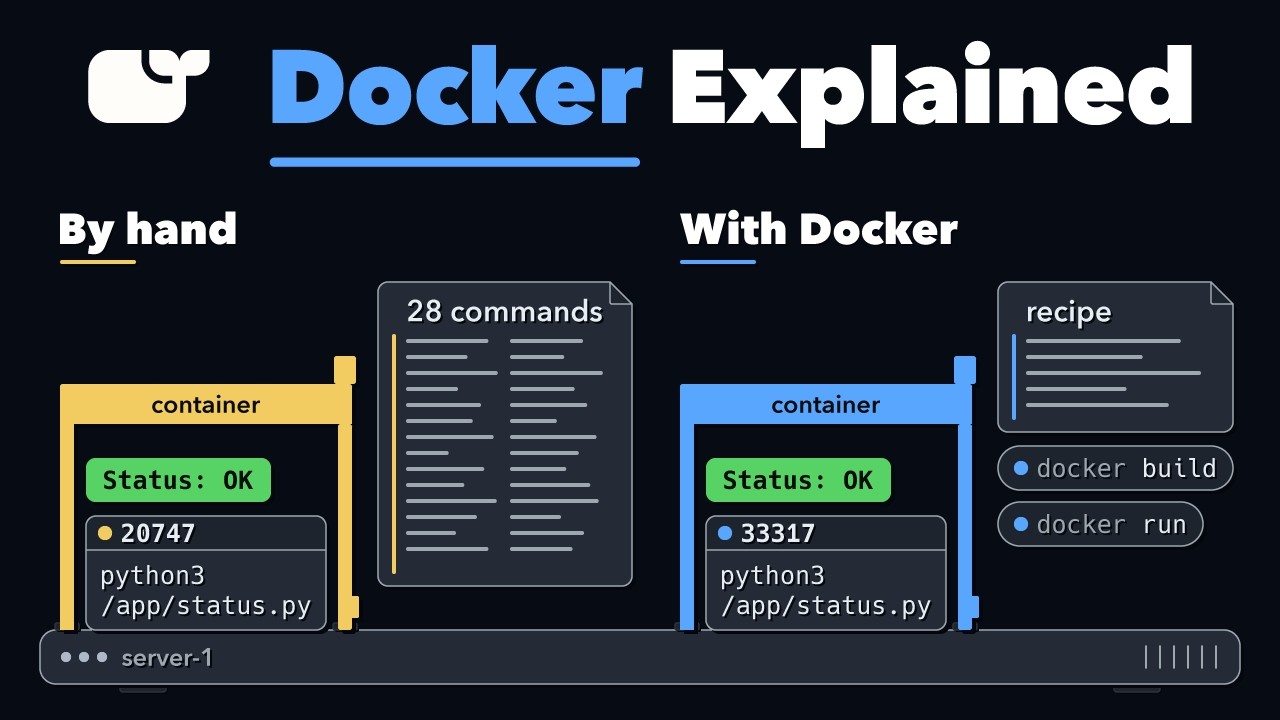
Docker Explained: How Containers Actually Work
Source: YouTube · Anton Putra · published Nov 21, 2026 · 35:30
[BLUF] Docker containers are not magic; they are standard Linux processes isolated using native kernel features like namespaces and cgroups, with Docker acting as a tool to automate the complex setup of these boundaries 0:30.
Key Takeaways:
• Isolation via Namespaces: Docker isolates a process by assigning it its own view of the filesystem, process list, and network stack using Linux namespaces, hiding the rest of the host system 10:49.
• Resource Limits via Cgroups: Memory and CPU usage are constrained using Linux control groups (cgroups), which allow the kernel to kill processes that exceed defined thresholds 16:01.
• Docker as an Automator: While a manual container build requires ~28 complex commands to set up chroots, mounts, and namespaces, Docker reduces this to a five-line recipe and a single run command 0:32.
• Identical Internal Structure: A Docker container uses the exact same kernel mechanisms as a hand-built one; the primary difference is that Docker adds extra security settings and additional namespaces by default 30:38.
• Portability and Reproducibility: Docker images package the application and its dependencies into layers, allowing identical environments to be deployed across any server with Docker installed 22:24.
[Closing statement] Ultimately, Docker does not replace Linux but rather packages its native isolation capabilities into a portable, reproducible format for easier management.
Sources:
- 0:30 Introduction to the difference between manual Linux commands and Docker.
- 10:49 Explanation of PID namespaces for process isolation.
- 16:01 Demonstration of cgroups for memory and CPU limits.
- 30:38 Comparison of Docker's internal settings versus manual builds.
- 34:41 Summary of Docker's role in automating container creation.
Generate CPE Credits
Generate a professional CPE document from this video's transcript.
Estimated credit: 0.5 CPE hours
Estimate uses the video runtime (1 hour ≈ 1 CPE, rounded to the nearest 0.5, minimum 0.5, maximum 2.0). The final amount can be lower after review, never higher.
Topic: Cloud Security. Commonly maps to: Security Architecture and Engineering, Communication and Network Security. Exact CISSP domains are assigned during generation.
Free account. One generation at a time, with a daily limit.
CPEBuddy is independent and not affiliated with or endorsed by ISC2, ISACA, or any certification body. Exports are formatted for common CPE submissions; acceptance is at your certification body's discretion.
Transcript Preview
First 800 characters of the transcript
Here is a list of running programs,
on a Linux server. A few lines show the same app. Only the number at the start is different. I started one by hand,
using plain Linux commands. Docker was not even installed yet. Later, Docker started two more. On the list,
you cannot tell mine from Docker's. Most teams use Docker to package
an app and run it in a container. A container gives an app a small place
of its own, on a server it has to share. By hand, my container took 28 commands. Docker needed a five-line recipe and two
commands: one to build, one to run. So is Docker doing a job Linux cannot do? Or is it the same job?
And if it is, what is Docker for? To find out, we start with a small app,
and no container at all. Step by step, we cut how much it sees,
and how much it uses, until it is run…